Sometimes, you may see Zearn lessons or activities in TimeBack that look completed but show 0 XP. This does not always mean XP is missing.
<supportagent>This is the student-facing guide. For Support/Admin instructions, reference the internal Zearn XP reference</supportagent>
What is happening?
TimeBack shows both your XP progress and your course progress. Those are related, but they are not always the same thing.
A lesson or activity may show as completed with 0 XP when:
- students get alerts in Zearn, or
- the lesson was skipped (as part of course progression).
What are the Zearn alerts?
Typical XP pre-requisites are related to accuracy, but Zearn's accuracy reports did not meet our standards, and we rely on their alert system.
So, for Zearn:
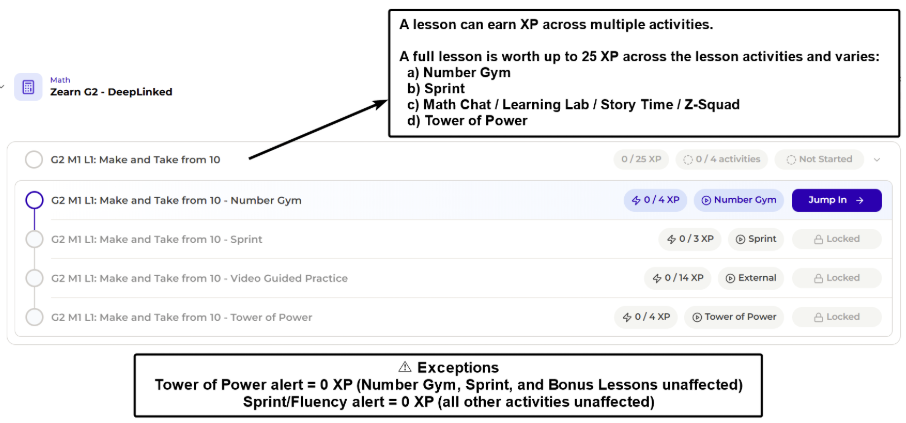
- XP is based on the specific activity's completion alone, and the only exception where you won't get XP are the app's alerts.
- You can learn more about exceptions in the XP Guide:
How students perceive alerts in Zearn
Zearn shows clear alerts to the student. This is an example:
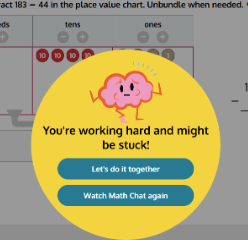
If they see this image, they will not get XP for completing the current activity.
How students perceive alerts in the TimeBack
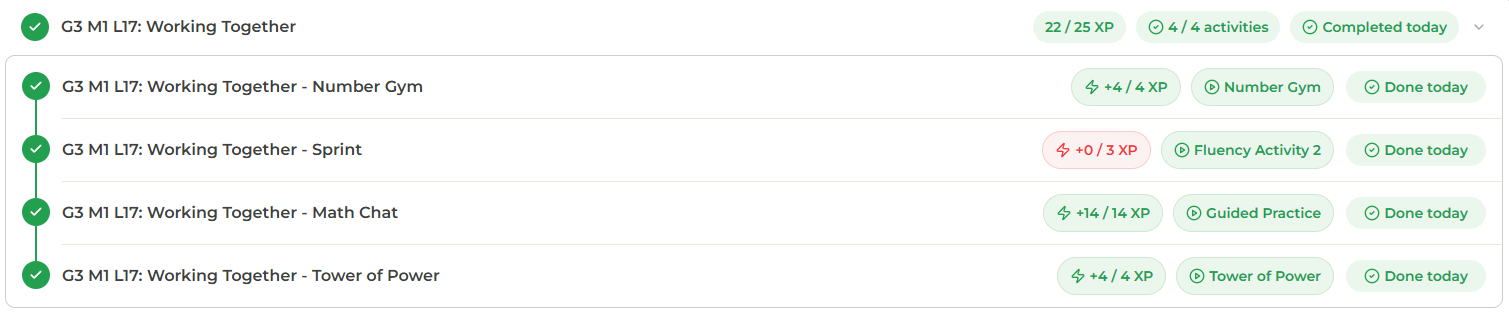
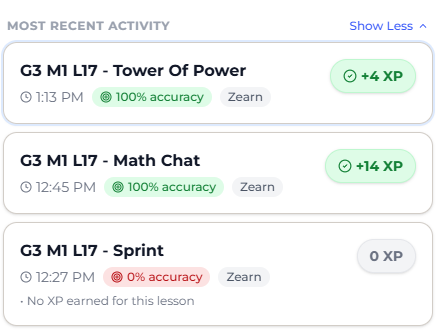
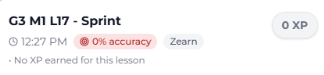
In the below example, the student received an alert on the sprint lesson.
- When viewing the course in the home page:
- When reviewing the tooltips from learning metrics:
- Essentially, XP is broken down per per activity, and any "0% accuracy" lessons mean that a Zearn alert was triggered.
When will I skip any lessons?
Sometimes, when the Academics team places you in a Zearn course, you might not start from lesson 1.
However, when you start from lesson 20, we must fill this gap from lessons 1 to 19. So, the team sends "completion data" for all these lessons.
In other words, you will see multiple "completed" lessons with 0 XP in your metrics.
How students perceive skips in TimeBack?
In this example, we can see TimeBack reporting 361 lessons were completed on this day.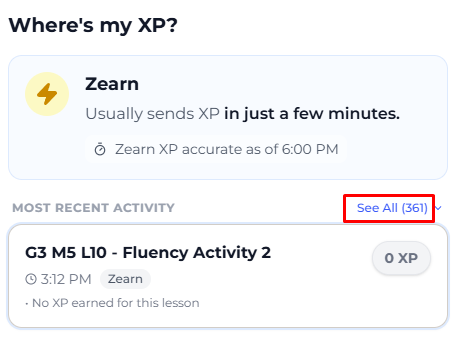
Still, when you actually completed a few more lessons and want to ensure a specific lesson's XP is not missing due to alerts, you must note a specific hint when there's an alert: There a red "0% accuracy" note.
From the previous example, where the student had an alert:
Manuel da Silva
Comments