Instructions
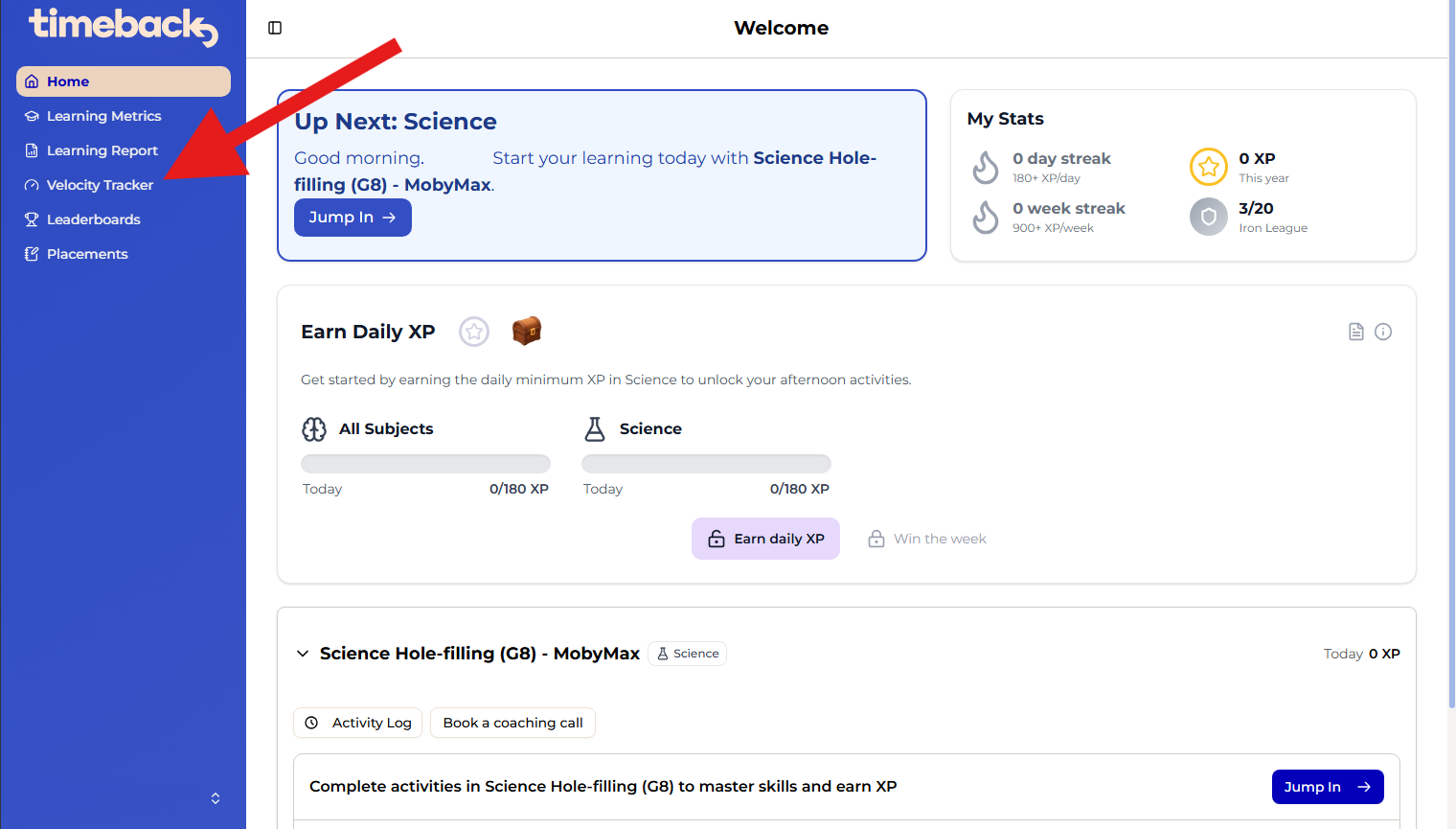
- In Timeback Dash (remember to sign in with Google), select Velocity Tracker on the left panel. This is only available for High School students.
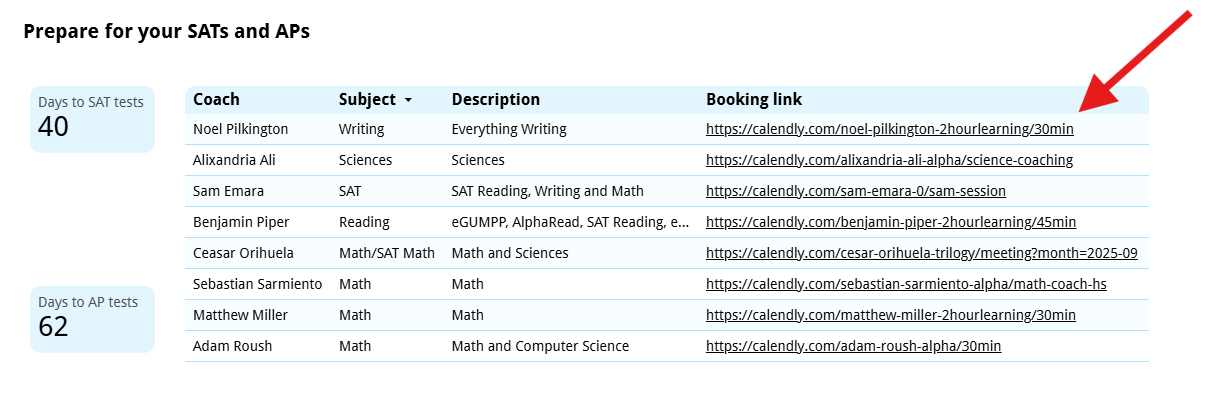
- A new tab/page will open. Accept the permissions if needed, and scroll down to the section Prepare for your SATs and APs.
- Use any of the links to reach the booking page. If you reach a Redirect Notice page, click the link on that page.
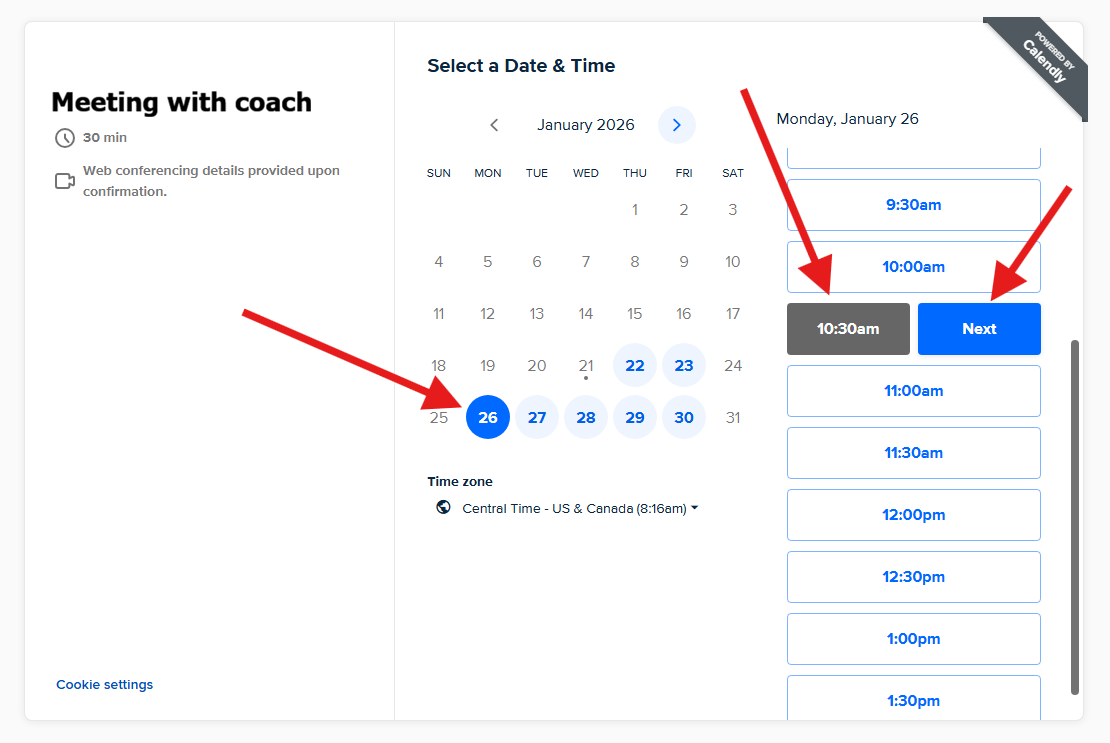
- Select a date to see available times. Select a time and click Next.
- Enter your details and click Schedule Event. You will receive confirmation via email.
Is a link not working, or do you know of a coach that should be listed but is not? Feel free to reach out to Support.
Alonso Aguirre
Comments